Sticky Notes in Menubar
One keystroke to a new note that stays on top of everything — nothing to open, nothing to save.

Free to try · One purchase for Mac, iPhone and iPad



A new note is never more than a click or a tap away
Capture the thought the moment you have it — from wherever you already are.
On Mac
- Menu bar
- Global shortcut
- Desktop widget
- Shortcuts app
- Services menu
- AppleScript
- Terminal
On iPhone and iPad
- Home Screen icon
- Control Center
- Share sheet
- Siri
- Spotlight
- Shortcuts app
-
Always in sight
On your Mac, notes float on top of every other app, so what you wrote down stays in front of you instead of behind six windows.
-
Colors that mean something
Give every note its own color — groceries in purple, the call-back number in pink — and find it again at a glance.
-
Rich text, fast
Headings, bold, highlight, checklists and links — on keyboard shortcuts on the Mac and a tap away on iPhone and iPad, so you never break your flow to hunt through a menu.
-
iCloud sync
Notes are backed up to your iCloud account and kept in sync across your Mac, iPhone and iPad. Start a note on one and pick it up on another.
-
Findable from Spotlight
Your notes turn up in Spotlight alongside everything else on your Mac, so you can jump straight to the one you want without opening Quick Note first.
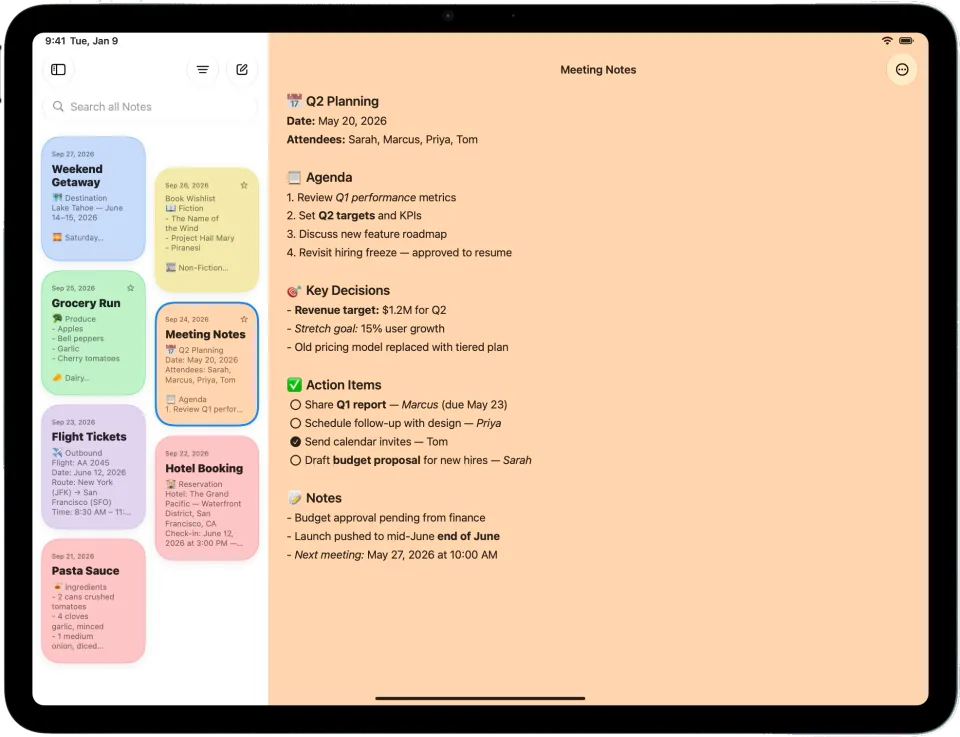
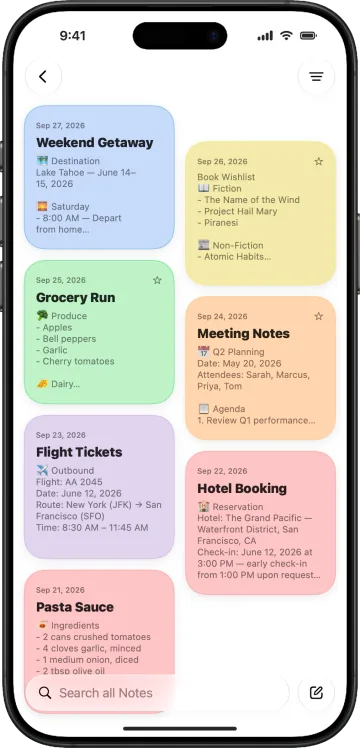
Now on iPhone and iPad
Jot something down on your iPhone and it's waiting on your Mac before you sit down. The same notes everywhere, kept in sync over iCloud.
-
Formatting as you type
Headings, highlight, lists and checklists are one tap away, so styling never interrupts your typing.
-
Organized your way
Folders, favorites, note colors and instant search across every note you've written.
-
Send text from any app
Select text, tap Share and choose Quick Note — it opens in a new note, links and all.
Requires iOS 18 or iPadOS 18 or later
Built for people who don't reach for the mouse
Format, organise and move text with the shortcuts you already know from every other Mac app.
- ⌘BBold
- ⌃⌘HHighlight
- ⇧⌘LChecklist
- ⌘ECollapse note
- ⌥⌘FFloat on top
- ⌥⌘TTranslucency
Quick Note Speaks Your Language
Localized in English, French, German, Italian, Japanese and Simplified Chinese.
Free to try. One-time purchase.
Use Quick Note free for 30 days with up to 6 notes. PRO removes every limit and adds iCloud sync and folders — bought once, not every month, and it unlocks your Mac, iPhone and iPad together.